-
Written By Abhilash Dogra
-
Updated on March 14th, 2026
How to Import MSG to Yahoo Mail Without Outlook – Full Guide
Summary: Are you looking for a simple way to import your MSG files into Yahoo Mail on your Mac? Most of the users face difficulties with this process, especially when they have multiple Outlook MSG emails. Beyond that, they want to migrate them without losing their attachments or formatting. In this blog, we will guide you on how to import MSG to Yahoo Mail along with the Mac MSG Converter for easy transfer.
TL;DR: Enterprises import their MSG files to Yahoo Mail for email migration, secure backup, and easier management. This can be done manually via IMAP in Outlook or with the help of Mac MSG Converter for a faster and more secure migration.
Common Reasons to Transfer MSG to Yahoo Mail
Most of the users need to move their MSG emails to Yahoo Mail for better accessibility and management. Therefore, we have discussed some of the most common reasons :
- Yahoo Mail enables access from multiple devices, like Macs, iPads & web browsers.
- Users can store their emails to get a secure cloud backup for important messages.
- Subsequently, you can forward, organise, and share your emails more conveniently.
- Moreover, users often switch from Outlook for Mac to Yahoo Mail to keep all accounts in one place.
- MSG files from Mac Outlook may not open in all email applications, which makes Yahoo Mail a reliable option.
Reliable Methods to Import MSG to Yahoo Mail on Mac
The process to transfer your MSG files to Yahoo Mail on Mac can be done using various approaches, which depend on your data size. Here we will discuss the two main approaches so you can select the most efficient solution:
- Native Approach
- Automated Solution
Method 01: Native Approach to Convert MSG files into Yahoo Mail
For users with only a few MSG emails, the manual method allows you to transfer messages without using additional software. In this approach, you have to configure an email client that supports both MSG files and Yahoo Mail. To start the process, make sure that Microsoft Outlook is installed on your system. Also, you have access to your Yahoo Mail account with IMAP enabled. Likewise, you can easily import MSG to iCloud Mail with the help of the same utility.
Steps to Open .msg in Yahoo Mail on Mac:
- Firstly, open Microsoft Outlook for Mac and make sure that all MSG files are accessible.
- Nextly, set up a new folder in Outlook where the selected MSG emails can be placed before transfer.
- Then, select the emails from the MSG files and drag them into the new folder within Outlook.
- Afterwards, you have to go to Yahoo Mail in a web browser & log in to your account.
- Now, configure Yahoo Mail via IMAP in Outlook by entering your Yahoo email credentials.
- Once the account is set up, drag the MSG emails from the Outlook folder to the Yahoo Mail account folder in Outlook.
- Now, you have to wait for Outlook to synchronise, which makes sure that all emails appear in Yahoo Mail.
Limitations of the Manual Method
- Manual email transfer can take more time when there are multiple files.
- Some emails may fail to move correctly, resulting in missing messages.
- Attachments may not transfer properly, which can lead to data loss.
- Moreover, it is difficult to manage large volumes of emails.
- Likewise, you need technical knowledge to set up IMAP and configure Outlook.
Method 02: Automated Solution to Import MSG to Yahoo Mail
Mac MSG Converter is a reliable solution for Mac users who need to transfer multiple MSG files to Yahoo Mail. The utility protects email data and folder structure and allows a reliable migration with no data loss. Subsequently, it can handle your large batches of emails at once and minimize errors that may occur in manual transfer. Likewise, with a simple and user-friendly interface, even users with limited technical knowledge can complete the process.
Steps to Import Outlook MSG File to Yahoo Mail:
- Firstly, install and open Mac MSG Converter on your Mac.
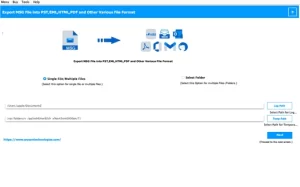
- After that, click Select Files/Folder to load the MSG files from your system.
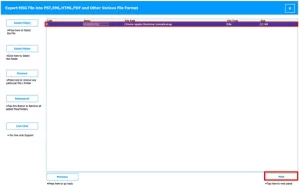
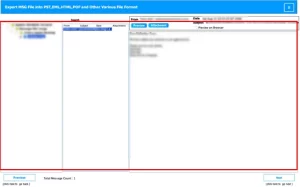
- Then, review the emails and attachments through the preview option.
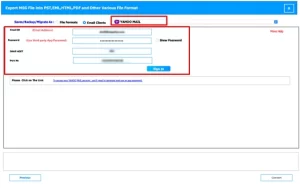
- Choose Yahoo Mail as the destination email service & input your credentials.
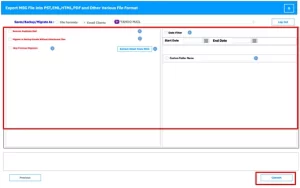
- Lastly, use the filters as needed >> Convert for MSG to Yahoo migration.
End Note
To sum up, the process to import MSG to Yahoo Mail on a Mac can be difficult, especially when the files originate from Outlook. Manual methods can help in limited situations but require additional setup and more time for large email collection. On the other hand, a professional solution offers a more reliable option for migration. The utility helps you to transfer your multiple MSG files while it preserves email content and folder structure. With the methods covered in this blog, you can move your MSG emails to Yahoo Mail on Mac with ease and accuracy.
Frequently Asked Questions
Q.1 How can I import MSG to Yahoo Mail without Outlook?
Ans. You can perform this task with Mac MSG Converter, which allows direct transfer of MSG files to Yahoo Mail without Outlook. Follow these quick steps:
1. Install and launch Mac MSG Converter on your Mac.
2. Click Select Files/Folder to load MSG files.
3. Preview the emails and attachments.
4. Choose Yahoo Mail and enter your account credentials.
5. Apply filters if required and click Convert.
Q.2 What file formats are supported by Yahoo Mail for email import?
Ans. Yahoo Mail mainly supports common email formats such as EML through email clients configured via IMAP. Tools like Mac MSG Converter convert MSG files into compatible formats and then move them to Yahoo Mail without difficulty.
Q.3 What is the best way to transfer MSG to Yahoo Mail?
Ans. The most reliable method involves a dedicated tool such as Mac MSG Converter, which transfers multiple MSG files at once and preserves email data, attachments, and folder structure.
Q.4 Why is a conversion tool recommended for MSG to Yahoo Mail migration?
Ans. A conversion utility simplifies the process, reduces manual effort, and ensures accurate email transfer. Tools such as Mac MSG Converter also support bulk MSG files and protect email content during the migration.
Q.5 Can MSG files be accessed without Microsoft Outlook?
Ans. Yes, MSG files can be opened and viewed with the help of tools such as Mac MSG Converter, which provides a built-in preview option without the need for Outlook installation.
Q.6 Is it possible to preview MSG files before importing them into Yahoo Mail?
Ans. Yes, the discussed utility offers a preview feature that allows users to check email messages and attachments before the transfer process begins. This helps ensure that the correct files move to Yahoo Mail.
About The Author:

Abhilash Dogra is a dedicated IT professional with more than 3 years of experience and has been a key member of Aryson Technology for the past 5 years. His expertise includes email migration and data recovery, with a strong focus on technologies such as MS Outlook and Office 365. In addition to this, Abhilash explores front-end technology and software development. He holds a Bachelor's degree in Computer Technology.